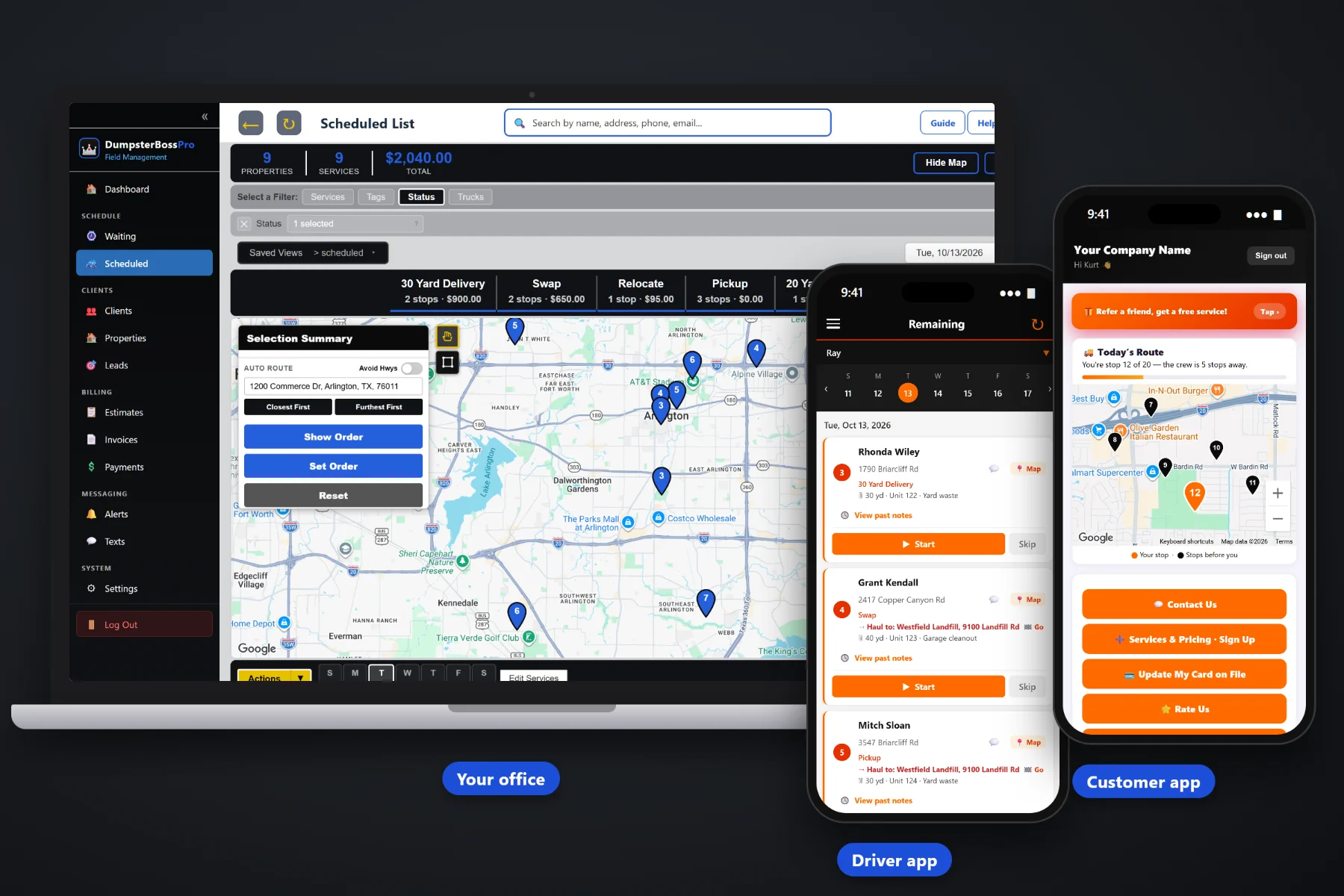
Dropping the container is the easy part. The rental that ran four days long, the scale ticket still folded in the truck door, the mattresses nobody billed and the contractor who pays "at the end of the month" — that's where a roll-off company's money leaks out. DumpsterBossPro adds extra rental days and weight overages to the invoice automatically, keeps cards on file, takes deposits and online payments, bills contractors monthly and follows up on anything unpaid.
Generic invoicing apps assume you know the price when you write the invoice. A dumpster rental isn't finished until the box is back, dumped and weighed: the days on site, the tons at the scale and what turned up in the load all change the total. DumpsterBossPro is built around that: every job carries its delivery date, pickup date, days included, included weight and rates, and the invoice comes from the job.
Each rental carries its delivery date, pickup date, days included and a daily rate after that. Extra days land on the invoice as their own line — "Extra rental days (3 @ $15)."
Type the scale-ticket weight onto the job and tons over the included weight are billed at your per-ton rate — "Weight overage (0.8 tons @ $65)."
Keep a card on file at booking and charge the full rental, overages included, when the job is complete. No chasing one-time renters for a small balance.
Take the rental price before the box leaves the yard and apply it to the final invoice, so the customer only sees the balance due.
Contractor and commercial accounts get one monthly invoice listing all of their jobs, each with its own days, weights and charges.
Automated payment reminders by text and email, each with a link the customer can pay from. The office stops spending Fridays chasing money.
The driver completes the pickup in the mobile app with photos and notes, and the scale-ticket weight goes on the job. DumpsterBossPro compares the rental length to the days included and the weight to the included tons, adds the extra days and the overage as their own lines, and the office sends the invoice — or the card on file is charged automatically. For the full walkthrough, read Dumpster Rental Billing Software: The Complete Guide to Getting Paid for Every Roll-Off Rental.
Most billing software is built for accountants. DumpsterBossPro is built for the person answering the phone, booking containers and invoicing pickups at the same time. Import your customers, set up your prices and start billing real rentals.
Size, unit number, debris type, days included, daily rate, included weight and per-ton rate travel with every rental from the quote to the invoice.
Drivers complete Delivery, Pickup, Swap, Dump & Return and Relocate jobs in the mobile app with photos and notes. The closeout is what the office bills from.
Quotes, invoices, deposits, payments and reports live next to your Waiting List and dispatch board. No jumping between a whiteboard, a spreadsheet and a card terminal.
Payment reminders and quote follow-ups go out automatically by text and email. Nobody in the office has to call about last month’s rental.
A dumpster invoice is never just "one rental, one price." The customer kept the box eleven days on a seven-day rental. The load came in heavy. There were tires under the drywall. The container had to be moved on day three.
On paper, every one of those details has to survive the trip from the job site to the scale to the office. Some don't. The extra days never get counted, the scale ticket goes missing, the relocation is forgotten and the mattress surcharge turns into an argument because nobody took a picture.
DumpsterBossPro keeps it all on one record. The job holds the delivery and pickup dates, the days included and daily rate, the scale-ticket weight, the included weight and per-ton rate, and the dumpster's size, unit number and debris type. The driver adds what actually happened, with photos. The invoice is built from both, with every charge on its own line.
Billing is one part of the platform. To see how it connects with quotes, the Waiting List, the dispatch board, the driver app and the customer app, take a look at the full DumpsterBossPro overview.
Every billing tool in DumpsterBossPro connects to the customer or account, the container and the job — so what happened to the box is what the customer is billed for.
Invoice a rental as soon as the pickup is complete. Customer, address, container and dates are already attached, so nothing gets retyped and nothing gets missed.
Delivery date, pickup date, days included and a daily rate after that on every rental. Extra days are added to the invoice automatically as their own line.
Enter the scale-ticket weight in tons and anything over the included weight is billed at your per-ton rate. Weights are typed in from the ticket, with no scale hookup needed.
Base rental, extra days, weight overage, prohibited items, relocations and trip charges each on their own line, with sales tax applied on the invoice.
Keep a customer's card on file and auto-bill the invoice when the job is complete, overages included. Ideal for one-time renters and regulars alike.
Collect the rental price up front and apply it to the final invoice, so the customer only sees the balance due for extra days or tons.
Customers see their invoices with every line and pay online from their phone. No envelope, no reading a card number over the phone.
Builders, remodelers and property managers billed monthly with one invoice listing all of their jobs, swaps and overages.
Send quotes that spell out days and tons included and the rates after. Customers approve online, with automatic follow-up on the ones that sit.
Automated payment reminders by text and email keep invoices from sliding into 60-day territory, with a pay-online link in every message.
Size, unit number and debris type on every job, plus job types for Delivery, Pickup, Swap, Dump & Return and Relocate, each billed to the right rental.
Drivers see jobs in order with container details, add photos of the load, the scale ticket and any surcharge items, and tap complete. The closeout is the billing document.
Every incoming job lands on the Waiting List, then moves to the dispatch board. Every container that moves is a trip that gets billed.
Automated texts and emails keep customers informed, deliver invoice links and send payment reminders on their own.
Keep an eye on billing and payments, and spot slow accounts before they reach collections.
Every driver, dispatcher and office person can have a login. Plans are a flat monthly price, never billed per user. CSV import brings your customer list in on day one.
Most overage disputes start with a quote that never said what was included. DumpsterBossPro sends a quote that spells out the days and tons included and the rates after that, the customer approves it online, and you take a prepayment or card on file at the same time. When the rental ends, the prepayment is applied to the final invoice and the customer sees the full rental, what they already paid and the balance due — nothing to argue about.
Cash flow is what squeezes roll-off companies — disposal fees, fuel, truck payments and payroll don't wait for checks in the mail. DumpsterBossPro collects several ways: cards on file charged when the job is done, deposits taken before delivery, online invoices customers pay from their phone or the customer app, monthly invoices for contractors and automated follow-ups for everything else.
Add every driver, dispatcher and office person without your bill going up. Try it free for 14 days — no credit card required. See the full plan comparison.
No contracts. Cancel anytime. 14-day free trial, no credit card required.
Every rental job carries a delivery date, a pickup date, the days included in the rental and a daily rate after that. When the pickup is recorded, any extra days are added to the invoice automatically as their own line, such as “Extra rental days (3 @ $15).”
The scale-ticket weight in tons is entered on the job, and tons over the included weight are billed at your per-ton rate as their own line, such as “Weight overage (0.8 tons @ $65).” DumpsterBossPro does not connect to scales or landfill systems; the weight is typed in from the ticket, by the driver or the office.
Yes. Surcharges for prohibited items, relocations, wasted trips and other extras go on the invoice as their own line items, and drivers can back them up with photos and notes in the driver app. Prices vary by market and disposal site, so set your own price list.
Yes. Customers can keep a card on file, and invoices can be auto-billed when the job is complete, overages included. Customers without a card on file can pay their invoice online from the customer app.
Yes. Take a prepayment or deposit before delivery, and it is applied to the final invoice so the customer only sees the balance due for any extra days, tons or surcharges.
Contractor and commercial accounts are billed monthly with one invoice listing all of their jobs, each with its own trips, rental days, weights and charges. Sales tax can be applied on the invoice; check with your accountant on what is taxable where you operate.
Plans are Start at $59/month, Pro at $89/month and Crew at $199/month. You are never billed per user, and the 14-day free trial requires no credit card.
Billing is one piece — DumpsterBossPro also runs your quotes, Waiting List, dispatch board, driver app, customer app, contractor accounts and automated customer texts and emails from the same platform. See the full DumpsterBossPro overview.
Practical articles on billing rental days, weight overages, surcharges, deposits, card on file, contractor accounts and collections — start with Dumpster Rental Billing Software: The Complete Guide to Getting Paid for Every Roll-Off Rental.
DumpsterBossPro adds extra rental days and weight overages to the invoice, keeps cards on file, takes deposits and follows up on unpaid bills. Try it free for 14 days.